Keypad and knob
Two moulded devices between two sheet edges: a four-key strip whose keys sink into a black bezel while held and set the mode printed on the sheet above, and a square plate with a ridged knob that snaps between five dots by click, drag or arrow keys.
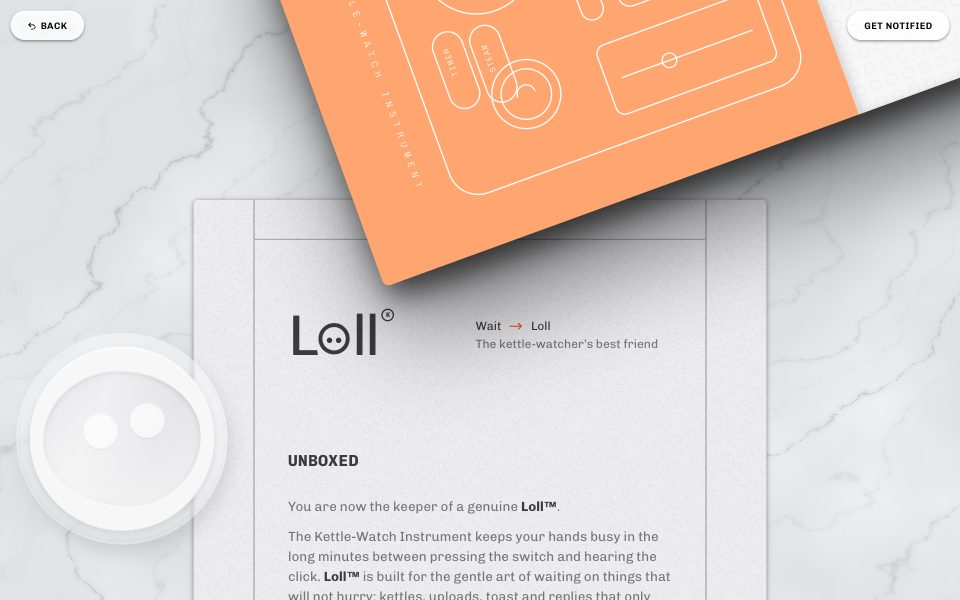
Part of the style
Owner's Manual on Marble
6 parts that belong together, with their tokens, type and rules.
https://kitbash.me/components/owners-manual-on-marble/keypad/figma.html?palette=0ecacb3ee71e0b5a
Use the Figma MCP server (https://mcp.figma.com/mcp). Download https://kitbash.me/components/owners-manual-on-marble/keypad/figma.html?palette=0ecacb3ee71e0b5a and pass that whole HTML document to the html_to_figma tool, so the part "Keypad and knob" lands as editable layers in my open Figma file. Fonts come from Google Fonts: if a face is missing in Figma, pick the closest one.
Code
<style>
/* Goes after the pack's base.css */
:root {
  --marble: #d8d9da;
  --marble-vein: #acb5be;
  --paper: #1c1d1d;
  --paper-hover: #dfe0e1;
  --frost: rgba(234, 235, 236, 0.75);
  --frost-edge: #eaebec;
  --ink-full: #582c1b;
  --ink-dark: rgba(88, 44, 27, 0.75);
  --ink-light: rgba(88, 44, 27, 0.5);
  --ink-lightest: rgba(88, 44, 27, 0.25);
  --device-case: #161718;
  --edge-grey: #acb5bf;
  --device-text: #755448;
  --device-frame: rgba(88, 44, 27, 0.85);
  --box-sand: #d3d5d7;
  --box-line: #eaebec;
  --veil: #582c1b;
  --scrim: rgba(88, 44, 27, 0.49);
  --signal: #9c6b4f;
  --box-orange: #c8a795;
}
</style>

<section class="keypad" aria-label="Mode keys and brew knob">
  <div class="keypad__tail">
    <p class="keypad__status" aria-live="polite"><span>Mode <b class="keypad__mode">Kettle</b></span><span>Dial <b class="keypad__level">Brew</b></span></p>
  </div>

  <div class="keypad__devices">
    <div class="keypad__strip">
      <div class="keypad__bezel" role="group" aria-label="Mode">
        <button class="keypad__key" type="button" data-mode="Kettle" aria-label="Kettle mode">
          <span class="keypad__cap"><svg viewBox="0 0 24 24" aria-hidden="true"><path d="M6 19h11l-1.2-9.5a1 1 0 0 0-1-.9H8.2a1 1 0 0 0-1 .9z"></path><path d="M16.4 11.5l2.8-1.8v4.6l-2.3 1.4"></path><path d="M9 8.6V7.4a2.5 2.5 0 0 1 5 0v1.2"></path></svg></span>
        </button>
        <button class="keypad__key" type="button" data-mode="Upload" aria-label="Upload mode">
          <span class="keypad__cap"><svg viewBox="0 0 24 24" aria-hidden="true"><path d="M7 4h10M7 20h10"></path><path d="M8 4v2.5c0 2 4 3.5 4 5.5s-4 3.5-4 5.5V20M16 4v2.5c0 2-4 3.5-4 5.5s4 3.5 4 5.5V20"></path><path d="M10 18.2h4"></path></svg></span>
        </button>
        <button class="keypad__key" type="button" data-mode="Toast" aria-label="Toast mode">
          <span class="keypad__cap"><svg viewBox="0 0 24 24" aria-hidden="true"><path d="M7 20V11.5A3.5 3.5 0 0 1 8.5 5h7A3.5 3.5 0 0 1 17 11.5V20z"></path><path d="M10 13h.01M14 15h.01M11.5 17h.01"></path></svg></span>
        </button>
        <button class="keypad__key" type="button" data-mode="Reply" aria-label="Reply mode">
          <span class="keypad__cap"><svg viewBox="0 0 24 24" aria-hidden="true"><path d="M5 6.5A1.5 1.5 0 0 1 6.5 5h11A1.5 1.5 0 0 1 19 6.5v8a1.5 1.5 0 0 1-1.5 1.5H11l-4 3.5V16h-.5A1.5 1.5 0 0 1 5 14.5z"></path><path d="M9 10.5h.01M12 10.5h.01M15 10.5h.01"></path></svg></span>
        </button>
      </div>
    </div>

    <div class="keypad__plate">
      <span class="keypad__dot" style="--keypad-at: -90deg"></span>
      <span class="keypad__dot" style="--keypad-at: -45deg"></span>
      <span class="keypad__dot" style="--keypad-at: 0deg"></span>
      <span class="keypad__dot" style="--keypad-at: 45deg"></span>
      <span class="keypad__dot" style="--keypad-at: 90deg"></span>
      <span class="keypad__well"></span>
      <span class="keypad__knob-shadow"></span>
      <div class="keypad__knob" role="slider" tabindex="0" aria-label="Brew strength" aria-valuemin="1" aria-valuemax="5" aria-valuenow="3" aria-valuetext="Brew">
        <span class="keypad__ridge"><span class="keypad__notch"></span></span>
      </div>
    </div>
  </div>

  <div class="keypad__head"></div>
</section>

<style>
  .keypad {
    position: relative;
    overflow: hidden;
    padding: 0 var(--space-m);
    background: var(--marble) var(--marble-texture) center / cover;
  }

  .keypad__tail,
  .keypad__head {
    max-width: var(--sheet-width);
    margin: 0 auto;
    padding: 0 var(--gutter-outer);
    background: var(--paper) var(--paper-texture);
    box-shadow: var(--shadow-sheet);
  }
  .keypad__tail { border-radius: 0 0 var(--radius-sheet) var(--radius-sheet); }
  .keypad__head {
    height: calc(var(--band) + 80px);
    border-radius: var(--radius-sheet) var(--radius-sheet) 0 0;
  }
  .keypad__tail::before,
  .keypad__head::before {
    content: "";
    display: block;
    border: solid var(--ink-lightest);
  }
  .keypad__tail::before { height: 0; border-width: 0 var(--rule); }
  .keypad__head::before {
    height: var(--band);
    border-width: 0 var(--rule) var(--rule);
  }
  .keypad__status {
    display: flex;
    flex-wrap: wrap;
    gap: 4px 32px;
    margin: 0;
    padding: 40px var(--gutter-inner) 100px;
    border: solid var(--ink-lightest);
    border-width: 0 var(--rule);
    color: var(--ink-lightest);
    font: 400 var(--text-label) / 1.6 var(--font-mono);
    letter-spacing: var(--meta-track);
  }
  .keypad__status b {
    color: var(--ink-light);
    font-weight: 400;
  }

  .keypad__devices {
    position: relative;
    z-index: 1;
    display: flex;
    flex-wrap: wrap;
    gap: 48px clamp(40px, 7vw, 110px);
    align-items: center;
    justify-content: center;
    margin: -50px auto -60px;
    padding: 0 0 8px;
  }

  .keypad__strip {
    --keypad-key: clamp(64px, 11vw, 128px);
    padding: clamp(18px, 2.4vw, 32px);
    border-radius: var(--radius-plate);
    background: linear-gradient(to bottom, rgba(0, 0, 0, 0), rgba(0, 0, 0, 0.07)), var(--device-case);
    box-shadow: inset 0 -3px 2px rgba(0, 0, 0, 0.16), inset 0 1px 0 rgba(255, 255, 255, 0.9), var(--shadow-plate);
    rotate: -8deg;
  }
  .keypad__bezel {
    display: flex;
    gap: var(--rule);
    padding: var(--rule);
    border-radius: 6px;
    background: var(--device-frame);
  }
  .keypad__key {
    display: grid;
    place-items: center;
    width: var(--keypad-key);
    aspect-ratio: 1;
    padding: 0;
    border: 0;
    border-radius: var(--radius-key);
    background: linear-gradient(rgba(255, 255, 255, 0.02) 50%, rgba(0, 0, 0, 0.11)), var(--device-case);
    box-shadow: inset 0 -1px 1px 1px rgba(0, 0, 0, 0.15);
    color: var(--device-text);
    cursor: pointer;
    transition: transform var(--t-key) var(--ease-switch);
    -webkit-tap-highlight-color: transparent;
  }
  .keypad__key.is-pressed { transform: scale(0.9); }
  .keypad__key:focus-visible { outline: var(--rule) solid var(--signal); outline-offset: -6px; }
  .keypad__cap {
    display: grid;
    place-items: center;
    width: clamp(34px, 3.5vw, 50px);
    aspect-ratio: 1;
    border-radius: var(--radius-pill);
    background: linear-gradient(rgba(0, 0, 0, 0.12), rgba(0, 0, 0, 0) 50%, rgba(255, 255, 255, 0.31));
  }
  .keypad__cap svg {
    width: clamp(18px, 1.7vw, 24px);
    opacity: 0.5;
    fill: none;
    stroke: currentColor;
    stroke-width: 1.6;
    stroke-linecap: round;
    stroke-linejoin: round;
  }
  .keypad__key.is-current .keypad__cap svg {
    opacity: 1;
    color: var(--signal);
  }

  .keypad__plate {
    --keypad-plate: clamp(220px, 25vw, 300px);
    --keypad-radius: calc(var(--keypad-plate) * 0.4);
    position: relative;
    display: grid;
    place-items: center;
    width: var(--keypad-plate);
    aspect-ratio: 1;
    border-radius: var(--radius-plate);
    background: linear-gradient(to bottom, rgba(0, 0, 0, 0), rgba(0, 0, 0, 0.07)), var(--device-case);
    box-shadow: inset 0 -3px 2px rgba(0, 0, 0, 0.16), inset 0 1px 0 rgba(255, 255, 255, 0.9), var(--shadow-plate);
    rotate: 9deg;
  }
  .keypad__plate > * { grid-area: 1 / 1; }
  .keypad__dot {
    width: 6px;
    height: 6px;
    border-radius: var(--radius-pill);
    background: rgba(0, 0, 0, 0.23);
    box-shadow: inset 0 1px 0 1px rgba(0, 0, 0, 0.31), 0 1px 0 rgba(255, 255, 255, 0.38);
    transform: rotate(var(--keypad-at)) translateY(calc(var(--keypad-radius) * -1));
  }
  .keypad__well {
    width: 64%;
    aspect-ratio: 1;
    border-radius: 50%;
    background: linear-gradient(rgba(0, 0, 0, 0.09), rgba(0, 0, 0, 0.15));
    box-shadow: 0 1px 2px 1px rgba(255, 255, 255, 0.15), inset 0 2px 4px rgba(0, 0, 0, 0.08);
  }
  .keypad__knob-shadow {
    width: 36%;
    aspect-ratio: 1;
    border-radius: 50%;
    box-shadow: 0 26px 25px rgba(0, 0, 0, 0.39), 0 29px 70px rgba(0, 0, 0, 0.39);
  }
  .keypad__knob {
    position: relative;
    display: flex;
    justify-content: center;
    width: 52%;
    aspect-ratio: 1;
    overflow: hidden;
    border: 5px solid var(--device-frame);
    border-radius: 50%;
    background: linear-gradient(to right, rgba(255, 255, 255, 0.11), rgba(0, 0, 0, 0.18) 50%, rgba(255, 255, 255, 0.09)), var(--device-case);
    box-shadow: inset 0 2px 1px rgba(255, 255, 255, 0.36);
    cursor: grab;
    touch-action: none;
    transform: rotate(var(--keypad-angle, 0deg));
    transition: transform var(--t-knob) var(--ease-knob);
  }
  .keypad__knob.is-dragging { cursor: grabbing; }
  .keypad__knob:focus-visible { outline: var(--rule) solid var(--signal); outline-offset: 4px; }
  .keypad__ridge {
    position: relative;
    display: flex;
    justify-content: center;
    width: 27%;
    height: 100%;
    background: linear-gradient(to bottom right, rgba(255, 255, 255, 0.09), rgba(0, 0, 0, 0.24)), var(--device-case);
    box-shadow: inset 1px 0 1px rgba(255, 255, 255, 0.39), 7px 0 18px -5px rgba(0, 0, 0, 0.52);
  }
  .keypad__notch {
    position: absolute;
    top: 10%;
    width: 12px;
    height: 12px;
    border-radius: 50%;
    background: rgba(0, 0, 0, 0.53);
    box-shadow: inset 0 4px 3px rgba(0, 0, 0, 0.56), 0 1px 0 rgba(255, 255, 255, 0.43);
  }

  @media (max-width: 600px) {
    .keypad { padding-inline: 12px; }
    .keypad__devices { margin-block: -40px -50px; }
    .keypad__strip { --keypad-key: calc((100vw - 110px) / 4); rotate: -5deg; }
  }
</style>

<script>
(() => {
  const LEVELS = ['Simmer', 'Steep', 'Brew', 'Boil', 'Whistle'];
  const DETENT = 45;
  const PLATE_TILT = 9;

  function setUpKeys(root) {
    const mode = root.querySelector('.keypad__mode');
    const keys = [...root.querySelectorAll('.keypad__key')];
    const press = (key) => key.classList.add('is-pressed');
    const release = (key) => key.classList.remove('is-pressed');
    const choose = (key) => {
      keys.forEach((other) => other.classList.toggle('is-current', other === key));
      keys.forEach((other) => other.setAttribute('aria-pressed', String(other === key)));
      mode.textContent = key.dataset.mode;
    };
    keys.forEach((key) => {
      key.addEventListener('pointerdown', () => press(key));
      key.addEventListener('pointerup', () => release(key));
      key.addEventListener('pointerleave', () => release(key));
      key.addEventListener('pointercancel', () => release(key));
      key.addEventListener('keydown', (event) => { if (event.key === ' ' || event.key === 'Enter') press(key); });
      key.addEventListener('keyup', () => release(key));
      key.addEventListener('blur', () => release(key));
      key.addEventListener('click', () => choose(key));
    });
    choose(keys[0]);
  }

  function setUpKnob(root) {
    const knob = root.querySelector('.keypad__knob');
    const level = root.querySelector('.keypad__level');
    let step = 2;
    let direction = 1;
    let dragged = false;

    const show = (next) => {
      step = Math.max(0, Math.min(LEVELS.length - 1, next));
      knob.style.setProperty('--keypad-angle', `${(step - 2) * DETENT}deg`);
      knob.setAttribute('aria-valuenow', String(step + 1));
      knob.setAttribute('aria-valuetext', LEVELS[step]);
      level.textContent = LEVELS[step];
    };
    const stepOn = () => {
      if (step + direction < 0 || step + direction > LEVELS.length - 1) direction *= -1;
      show(step + direction);
    };
    const stepFromPointer = (event) => {
      const box = knob.parentElement.getBoundingClientRect();
      const angle = Math.atan2(event.clientX - (box.left + box.width / 2), (box.top + box.height / 2) - event.clientY) * 180 / Math.PI - PLATE_TILT;
      return Math.round(Math.max(-90, Math.min(90, angle)) / DETENT) + 2;
    };

    knob.addEventListener('pointerdown', (event) => {
      dragged = false;
      knob.setPointerCapture(event.pointerId);
      knob.classList.add('is-dragging');
    });
    knob.addEventListener('pointermove', (event) => {
      if (!knob.classList.contains('is-dragging')) return;
      const next = stepFromPointer(event);
      if (next !== step) { dragged = true; show(next); }
    });
    knob.addEventListener('pointerup', () => {
      knob.classList.remove('is-dragging');
      if (!dragged) stepOn();
    });
    knob.addEventListener('pointercancel', () => knob.classList.remove('is-dragging'));
    knob.addEventListener('keydown', (event) => {
      const moves = { ArrowRight: 1, ArrowUp: 1, ArrowLeft: -1, ArrowDown: -1, Home: -9, End: 9 };
      if (!(event.key in moves)) return;
      event.preventDefault();
      show(step + moves[event.key]);
    });
    show(step);
  }

  document.querySelectorAll('.keypad').forEach((root) => {
    setUpKeys(root);
    setUpKnob(root);
  });
})();
</script>
Similar components
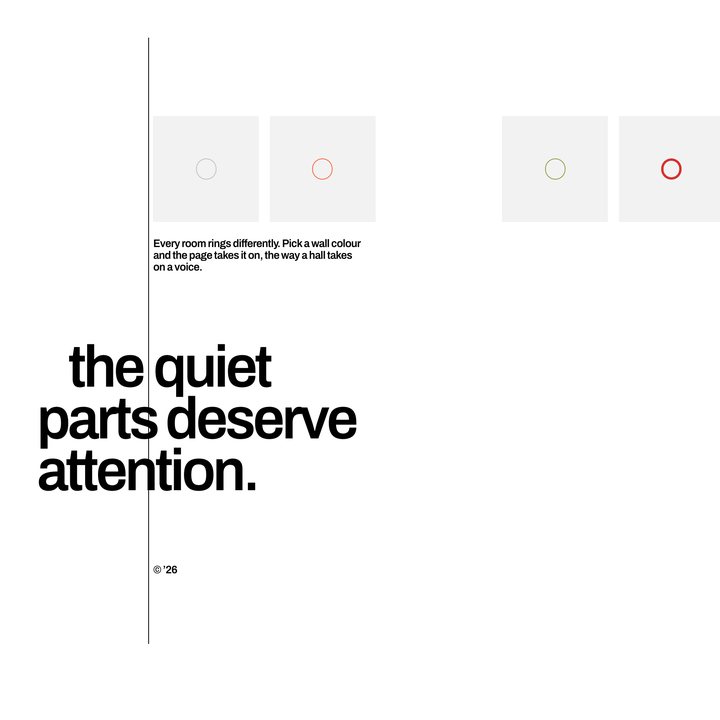
Theme flood
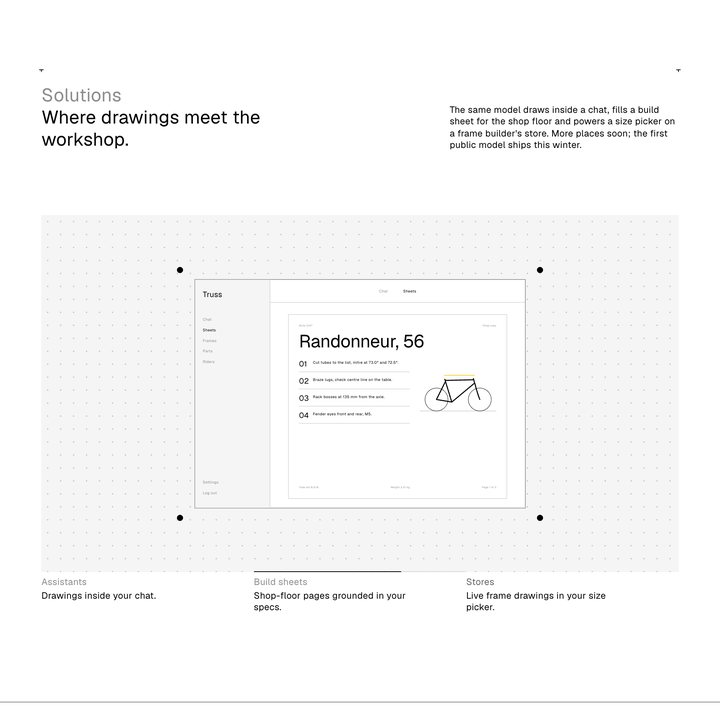
Showcase with progress tabs
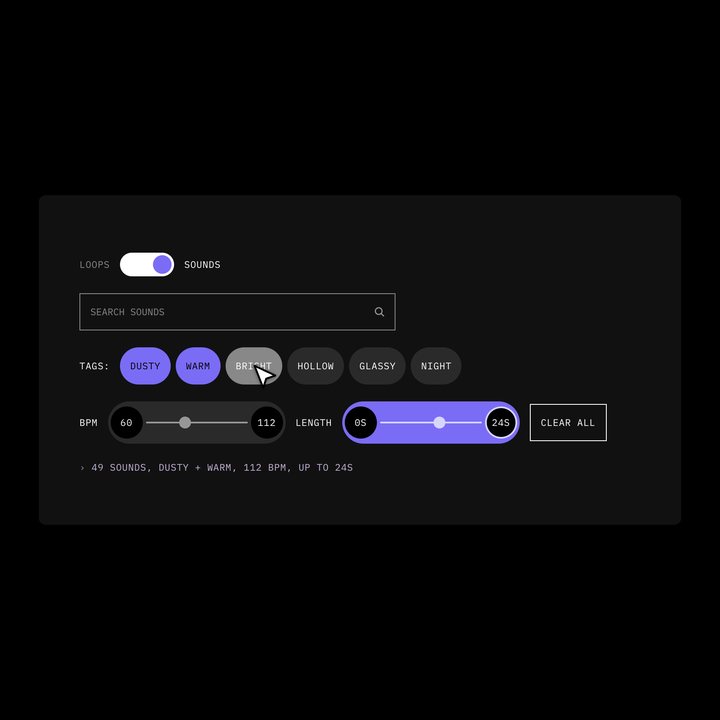
Instrument panel
Two-part bar
Pillar ring
Three movements
Question wheel
Chapter stepper